
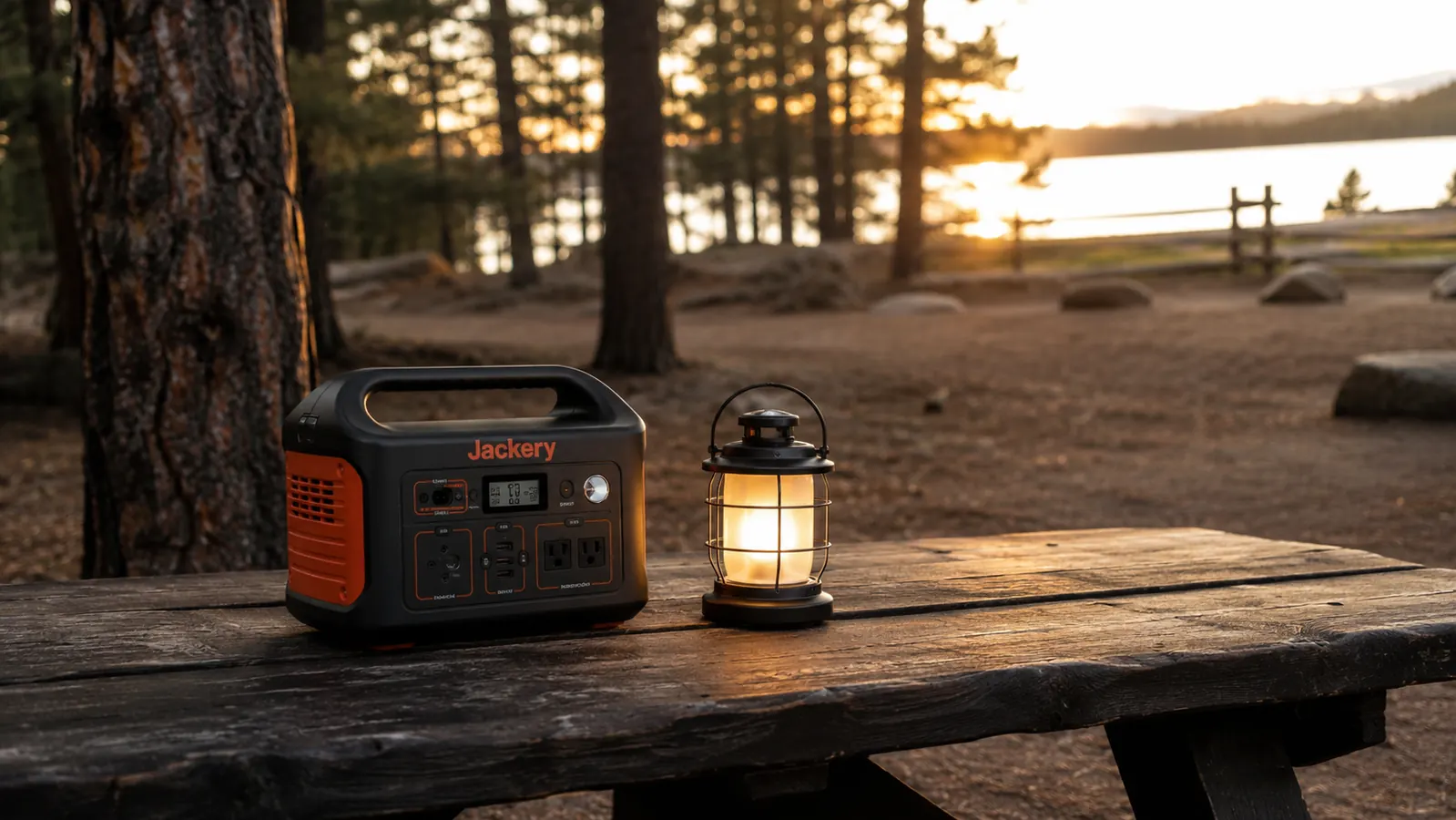
The first time I tried to charge my phone at a primitive campsite, I ran a 30-foot extension cord from my truck's 12V inverter, watched it overheat after two hours, and still went to bed with 22 percent battery. That was three years ago. These days I bring a Jackery Explorer 300 on every trip and my biggest charging worry is deciding which device to plug in first. If you have been duct-taping solutions together with car chargers and USB battery banks, this guide is going to make things a lot simpler.
The core problem with powering devices at a campsite without an electric hookup is not capacity, it is planning. Most campers either wildly underestimate their power draw and drain their bank in four hours, or they overestimate it and lug a 40-pound generator for a three-day trip. A 292Wh lithium power station sits right in the sweet spot for a family weekend. It can charge four phones to full, run a camp fan overnight, power a small LED string light setup, and still have reserve left for a Sunday morning coffee grinder. You just need to use it right.
Stop juggling car chargers. The Jackery Explorer 300 has every output type you need in one compact unit.
292Wh of LiFePO4 capacity, a 110V AC outlet, USB-A, USB-C, and a 12V DC car port. Check current availability on Amazon before your next trip.
Amazon Check Today's Price on Amazon →Step 1: Calculate Your Actual Power Needs Before You Pack
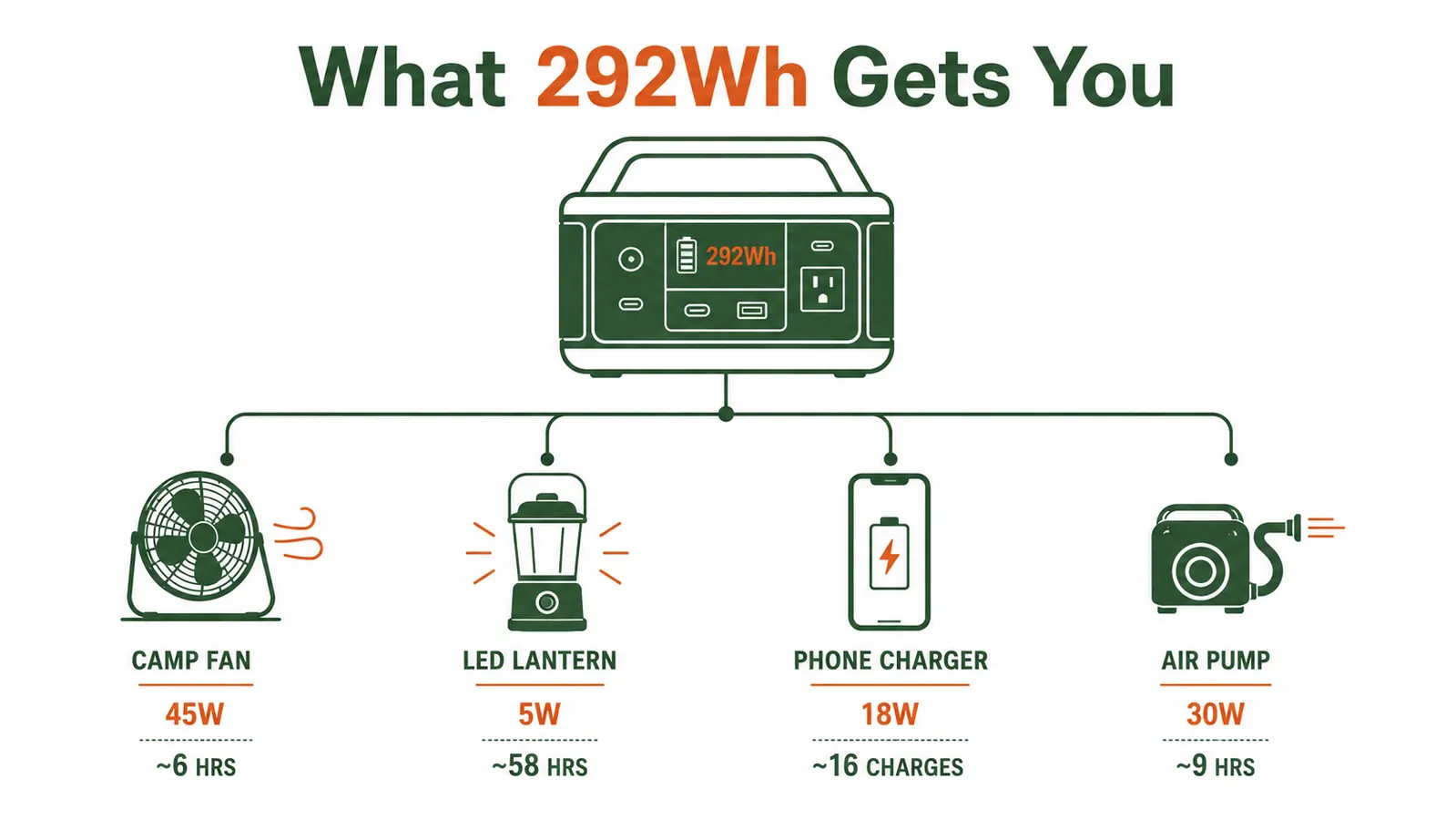
Before you touch a single cable, write down every device you plan to run at camp and look up its wattage. The wattage is almost always printed on the device itself or listed in the product specs. Phone chargers typically draw 10 to 18 watts. A small camp fan runs 20 to 45 watts depending on speed setting. A CPAP machine without a humidifier pulls roughly 30 to 60 watts. An LED camp lantern drawing a charge draws about 5 watts. Add those numbers up, then multiply by the hours you plan to run each device per day.
Here is a simple example for a two-night trip with two adults: two phone charges per night (36Wh total), a camp fan running 7 hours each night (315Wh), and a lantern charging each evening (10Wh). That is 361Wh of demand over 48 hours. The Jackery Explorer 300 holds 292Wh, so on this trip you would need to recharge via solar midday or be conservative with the fan. Once you know your real numbers, you stop guessing and start planning.
A useful rule of thumb: the power station's usable capacity is roughly 80 to 85 percent of its rated watt-hours due to conversion losses. So 292Wh delivers about 235 to 248Wh of real-world power. Keep that buffer in mind, especially if you are running AC devices, which lose a bit more to the inverter conversion. The most power-hungry devices most campers bring are camp fans, electric air pumps for sleeping pads, and CPAP machines. If you are running one of those, plan around it first, then fit everything else into what remains.
Step 2: Prioritize Outputs and Assign Devices to the Right Port
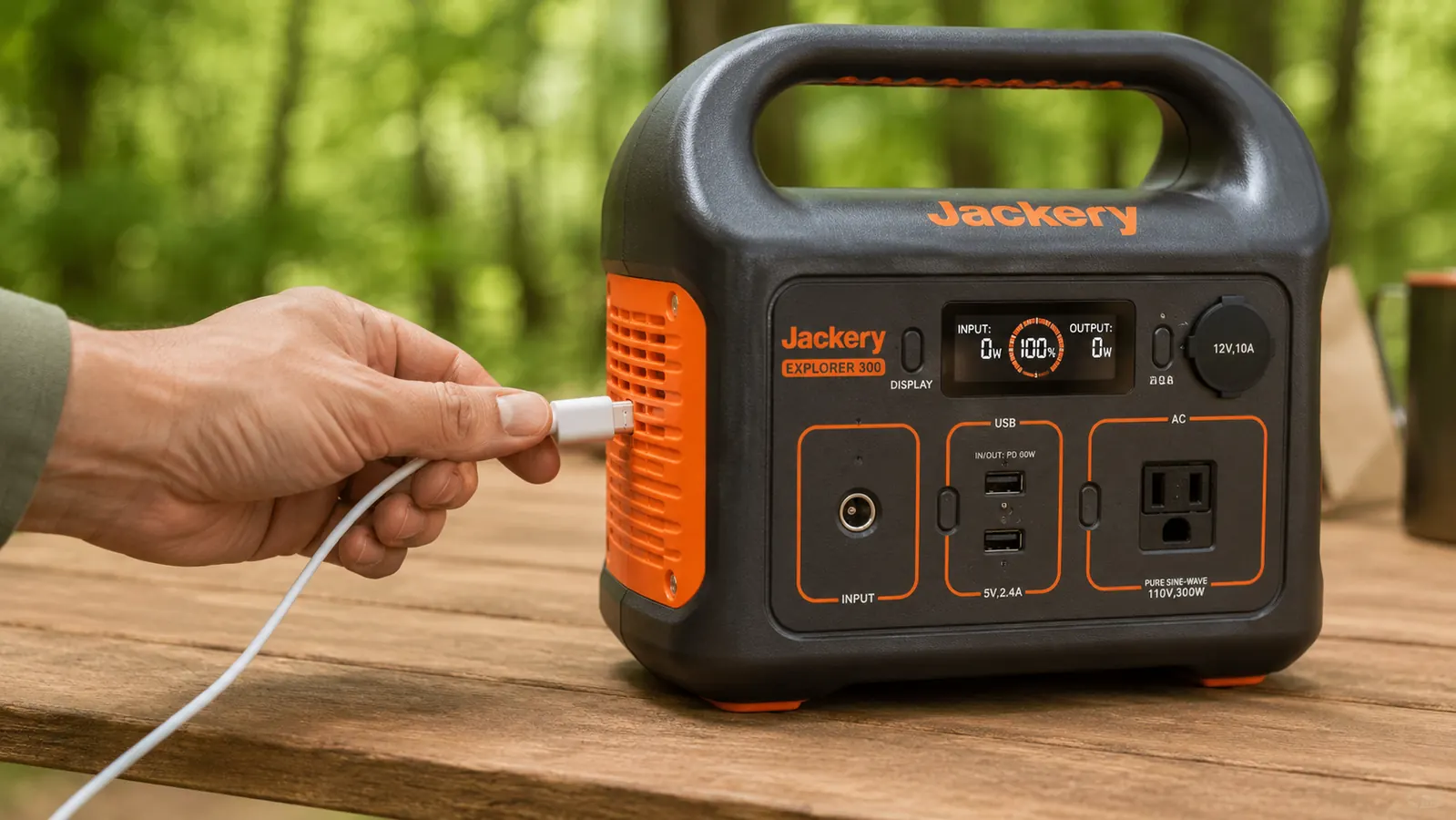
Not all outputs on a power station are equal, and using the wrong port for a device costs you capacity. The Jackery Explorer 300 has three output types: a 110V AC outlet rated at 300 watts continuous, two USB-A ports, and a USB-C port rated at 60 watts. Use DC or USB whenever the device supports it. The AC inverter is the least efficient path because it converts DC battery power to AC and then back to DC inside your phone's wall charger. That conversion burns 5 to 15 percent of your energy as heat.
My personal port assignment for a weekend trip: phones go on USB-A or USB-C because that path is fastest and most efficient. The camp lantern charges via USB-A. Anything that only accepts a standard wall plug goes to the AC outlet. I reserve the AC outlet for the camp fan and my wife's single-serve coffee maker on Saturday morning. Laptops go on USB-C via Power Delivery if the laptop supports it, which saves the AC outlet for devices that truly need it.
Step 3: Set Up a Charge Rotation Schedule
The biggest mistake I see at camp is everyone plugging in at the same time the moment they arrive. That spikes your simultaneous draw, heats up the unit, and drains it faster than it needs to. Instead, set a loose charge rotation. When you arrive Friday afternoon and set up camp, plug in whatever is below 50 percent first and let it finish before adding more devices. Most phones go from 30 percent to full in about 90 minutes on a 15-watt USB-A port.
At night, I put the power station into low-draw mode by charging only devices that are nearly empty. A phone going from 15 percent to full draws far less total energy than one charging from zero. In the morning, I check the power station's display and decide whether I need to top it off via the 12V car input before the afternoon activities. The Jackery Explorer 300 can also accept solar input via its DC port if you bring a compatible panel, which lets you recover capacity on sunny weekend days without running the engine.
Once you know your real watt-hour numbers, keeping devices charged at camp stops feeling like a problem and starts feeling like a simple logistics task.
Step 4: Position the Power Station Correctly at Your Site
Where you put the power station matters more than most people expect. Keep it out of direct sun during the heat of the day. Lithium batteries charge and discharge best between 32F and 104F, and direct sun on a dark surface on a 90-degree afternoon can push the case well above that threshold. I set mine on the shaded side of the picnic table or inside the tent vestibule when the sun is high. At night it comes into the tent footprint where temperatures are more moderate.
Keep the unit on a flat surface when running. The Jackery Explorer 300 has a carrying handle and a stable rubber base, so it stays put on most camp tables. Keep it at least three feet away from camp stoves and fire pits. If it rains, the unit is not waterproof, so move it under your canopy or inside the tent. I keep a small dry bag in my camp kit specifically for rain events so the power station stays protected without me having to reorganize the whole setup mid-storm.
Cold weather also affects capacity. At temperatures below 40F, lithium batteries can lose 10 to 20 percent of their rated capacity temporarily. If you are camping in fall or at elevation, expect a modest reduction in real-world output. Keeping the unit inside your sleeping area overnight, where body heat keeps temps above freezing, largely prevents this. In the morning it performs close to spec again once it warms back up.
Step 5: Recharge the Power Station on the Drive Home (and Before the Next Trip)
This step gets skipped more than any other, and it is the single biggest reason people show up to their next trip with 40 percent battery. The Jackery Explorer 300 charges in about 5 to 6 hours from a standard wall outlet at home. Plug it in when you get back from a trip, let it reach full, and then disconnect it. Lithium cells store better at around 80 percent than at 100 percent for long-term storage, so if your next trip is more than two weeks out, top it to 80 percent and leave it there. For trips within a week, full charge is fine.
You can also recharge on the drive to camp using the 12V car input. A full recharge via car takes longer, typically 8 to 10 hours at 12V, but if you are driving three hours to a remote site you can arrive with a unit that went from 50 percent to 75 percent just from the road time. On a two-day trip that top-off often makes the difference on the second night. I keep a 12V adapter cable in the glove box as a standard part of my camp kit now, right next to the tire pressure gauge.
What Else Helps
The power station handles the heavy lifting, but a few supporting habits stretch its capacity further. First, put every device in airplane mode or low-power mode when it is not being actively used at camp. A phone in normal mode sitting idle burns roughly 3 to 5 percent battery per hour just from cell and wifi scanning. Airplane mode cuts that to under 1 percent, which over a two-night trip is a meaningful difference. Second, swap any incandescent or gas-fueled lighting for rechargeable LED. Running LED camp lanterns instead of a propane unit means your lighting draw drops to a tiny 5-watt USB charge that the power station barely notices. Third, charge devices in pairs when you have available capacity. The Explorer 300's USB ports can output simultaneously with no meaningful efficiency penalty.
If you plan to camp more than two nights without driving back to civilization, a 60-watt folding solar panel paired with the Jackery is worth adding to your kit. On a clear summer day you can recover 60 to 80Wh of capacity in about 4 to 5 hours of direct sun exposure. That is enough to cover phone and lantern needs for a third night without touching your reserve. For weekend car camping you probably do not need it, but for a four-day basecamp it changes the math entirely. If you want to dig deeper into how the Jackery Explorer 300 performs across real camping loads over a full season, the year-in-the-field review at our year-in-the-field Jackery review covers it in detail. And if you are still deciding whether a power station belongs in your kit at all, the case-by-case breakdown at our 10 reasons breakdown walks through the most common camping scenarios where it earns its keep.
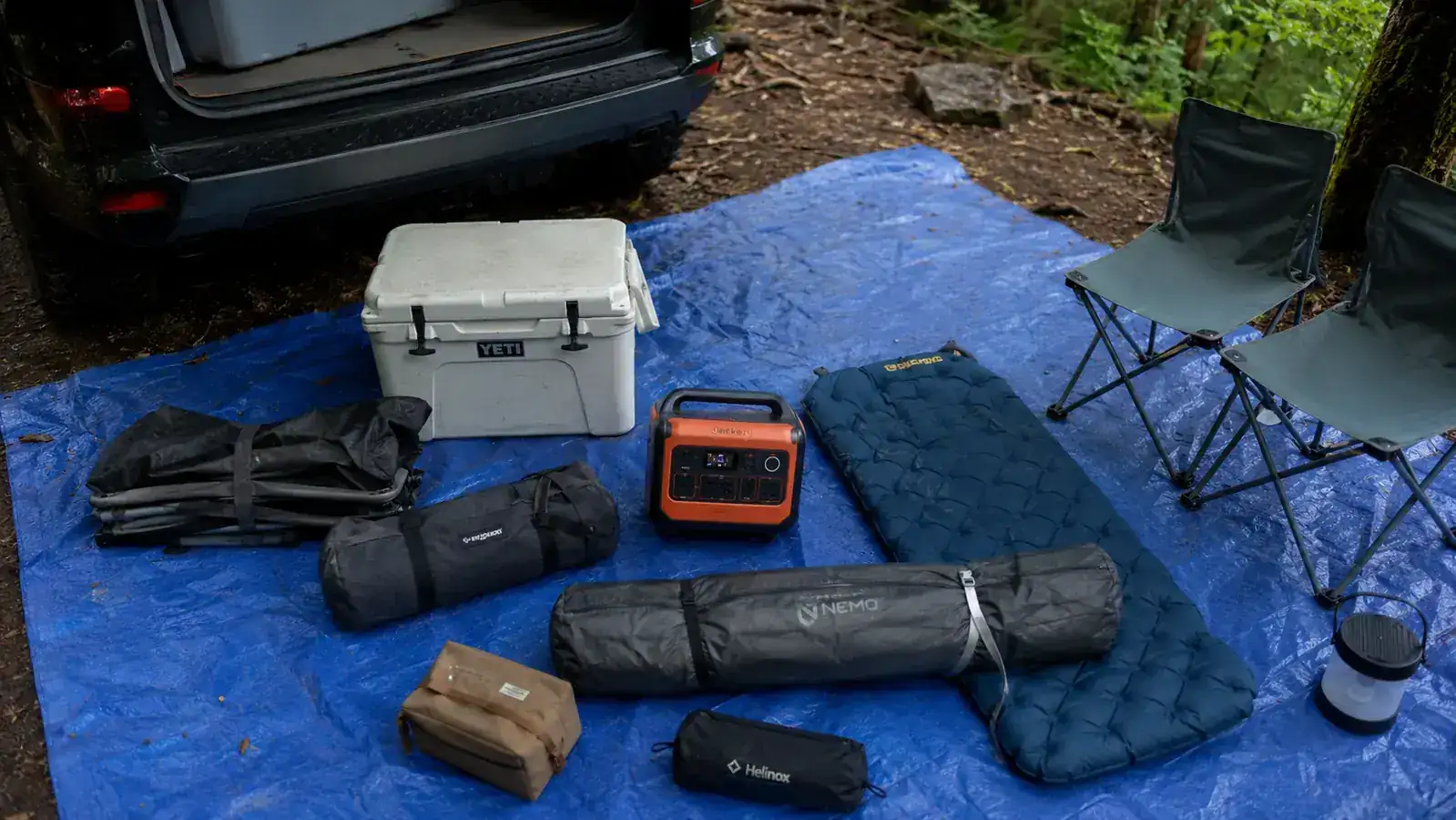
The Jackery Explorer 300 is the workhorse behind every charged device at my campsite.
292Wh LiFePO4 capacity, multiple output ports, and compact enough to fit under a camp chair. Check current pricing and availability on Amazon.
Amazon Check Today's Price on Amazon →